How it works
Open Realtor Assistant in ChatGPT
Connect it once from your dashboard.
Send a listing, details, or an image
Paste a URL, listing text, or upload a photo or PDF.
Ask ChatGPT to save it
It's organized with facts, notes, and price history automatically.
Find, update, or organize it later
Ask ChatGPT to search, review, or update anything you've saved.
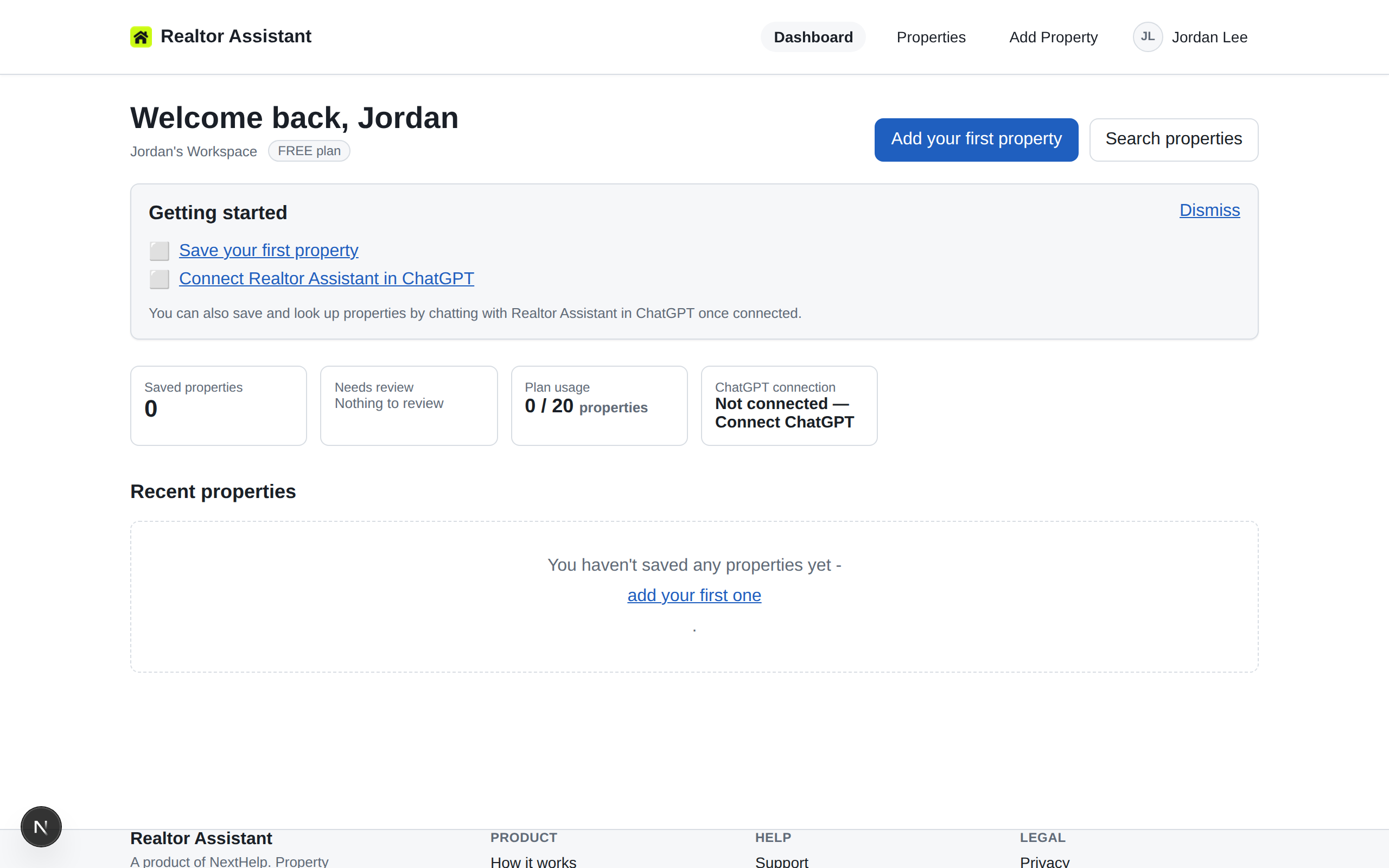
See it on your dashboard
The same record, always in sync on the web.
Core capabilities
Capture & organize
- Save a property from a URL, pasted text, PDF, or image
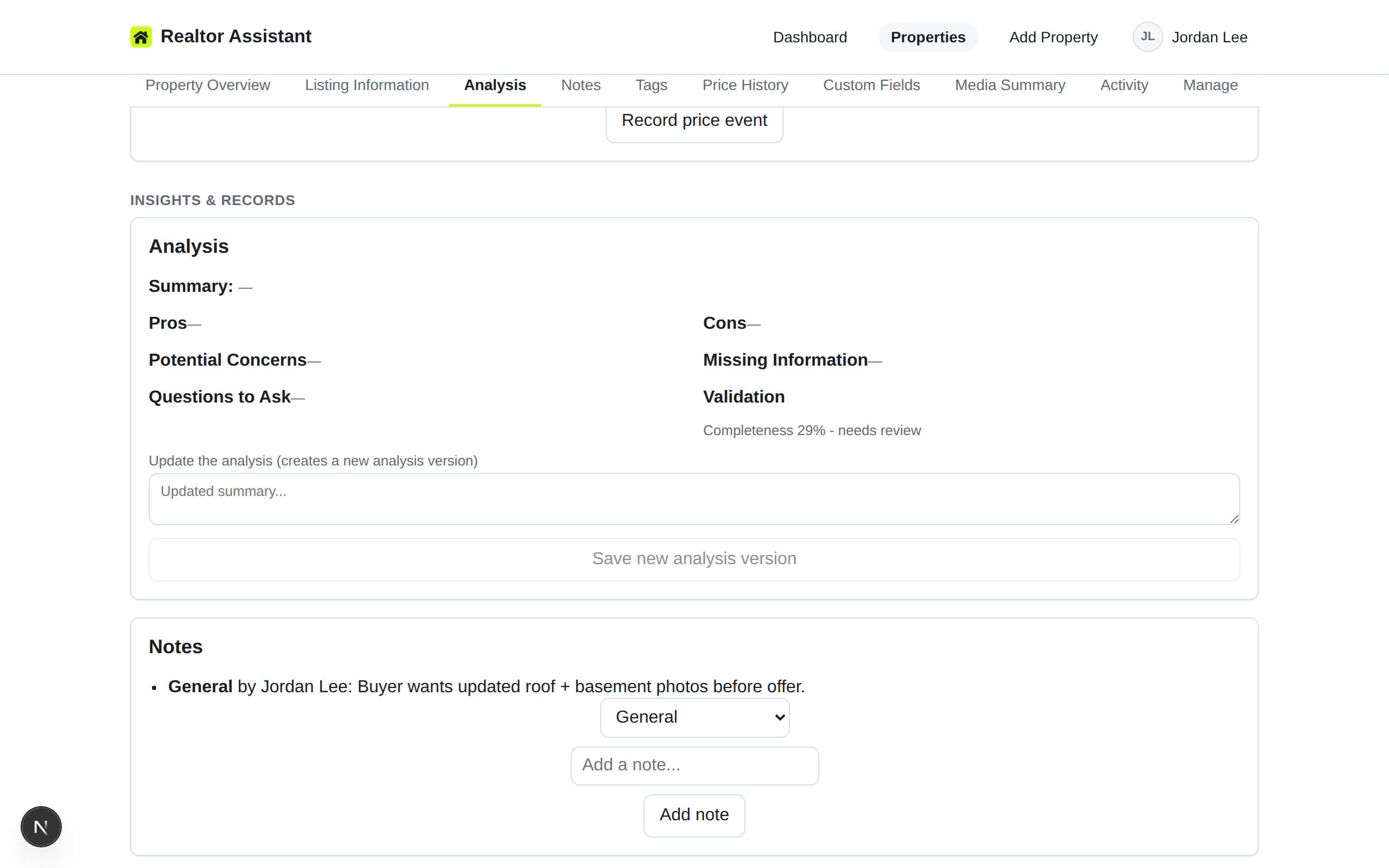
- Keep notes, tags, and price history in one record
- Track review status as you evaluate a property
Search & review
- Search and filter your saved properties
- Mark favourites for quick access
- See which properties still need review
Work inside ChatGPT
- Ask ChatGPT to find, open, or update a saved property
- Get AI analysis of the details you've saved
- No app-switching required to check a property
Collaborate in a workspace
- Invite teammates to a shared workspace
- Keep every member's saved properties in one place
- Manage member roles per workspace
Ask ChatGPT things like
Once you’ve connected ChatGPT to Realtor Assistant, these are real questions you can ask.
- List my saved properties.
- Show my favourite condos in Toronto.
- Which properties still need review?
- Open the notes for 796 Grandview Drive.
See it in the product
Real screens from the app — not a mockup.
Prefer video?
A guided video walkthrough is in the works. In the meantime, the written walkthrough above covers the same steps.
Built for realtors who need to trust their tools
Workspace-scoped records
Your saved properties live inside your workspace. Other workspaces can't see them.
Reversible archiving
Archive a property when you no longer need it in your active list, and restore it later from the Manage section.
Explicit approval for ChatGPT actions
Destructive actions requested through ChatGPT still require your explicit approval.
Clear policies
Read exactly what we collect and how it's used. Privacy Policy
Plans
Real prices, no surprises. Create a free account to start - upgrade whenever you're ready.
| Included | Free | Solo | Team |
|---|---|---|---|
| Workspace members | 1 | 1 | 5 |
| Saved properties | 20 | 500 | 2000 |
| AI reanalyses / month | 5 | 100 | 500 |
| Media storage (MB) | 100 | 5120 | 25600 |
| Custom fields / property | 5 | Unlimited | Unlimited |
| Activity history (days) | 30 | Unlimited | Unlimited |
Frequently asked questions
What can I save?
A property from a listing URL, pasted listing text, a PDF, or an image, plus your own notes, tags, photos, and price history - or you can add one manually.
How does Realtor Assistant work with ChatGPT?
Once you connect your account, you can ask ChatGPT to find, open, update, or review your saved properties in a normal conversation.
What if a listing website blocks the link?
Some listing sites block automated fetching. When that happens, paste the listing text instead, or upload a PDF, image, or add the details manually.
Can I use it without ChatGPT?
Yes. The web app covers saving, organizing, searching, and reviewing properties on its own - connecting ChatGPT is optional.
Can my team share a workspace?
Yes. Invite teammates to a shared workspace so everyone works from the same saved properties.
Is there a free plan?
Yes, Realtor Assistant has a free plan for getting started. Sign up to see current plan details, limits, and upgrade options for your workspace.
Give your saved properties a memory.
Start free, then connect ChatGPT whenever you’re ready.